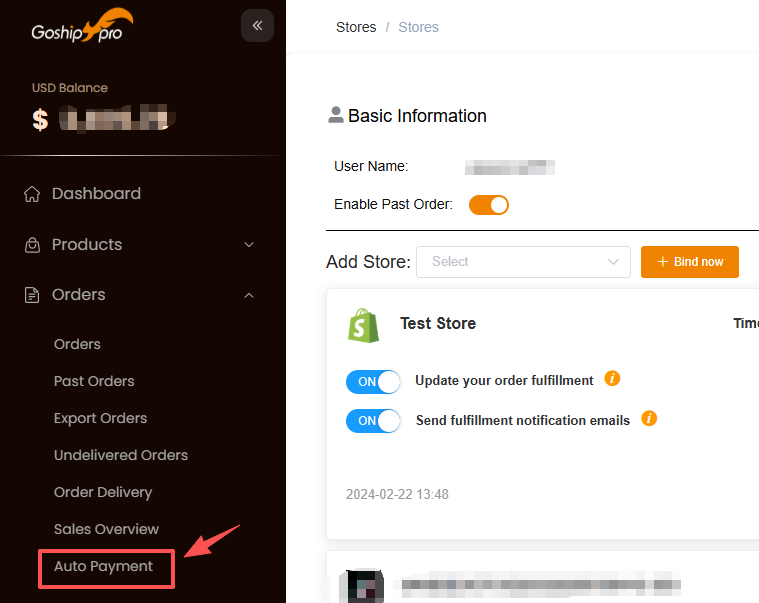
STEP 1 : Log in your goshippro account, enter your store, and select “Auto Payment. ”

STEP 2 : Set up your auto payment information according to your needs.
(Please refer to the figure below for specific instructions.)
Note : Our system executes the auto payment process at 10:00 am (Beijing time) every day.
Currently, we support 3 inventory plans :
- Disable inventory used
- Only pay with inventory
- No limit
and 2 logistic plans :
- Disable change
- Use logistics selector (requires specifying a logistics selector).


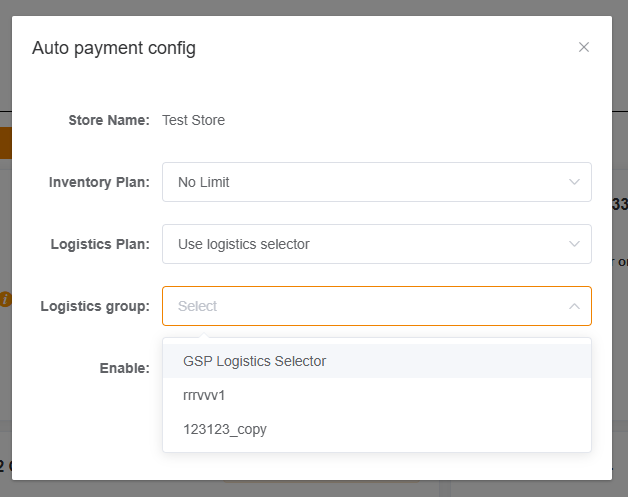
STEP 3 : Confirm all the information you have entered,then click “ Submit ”
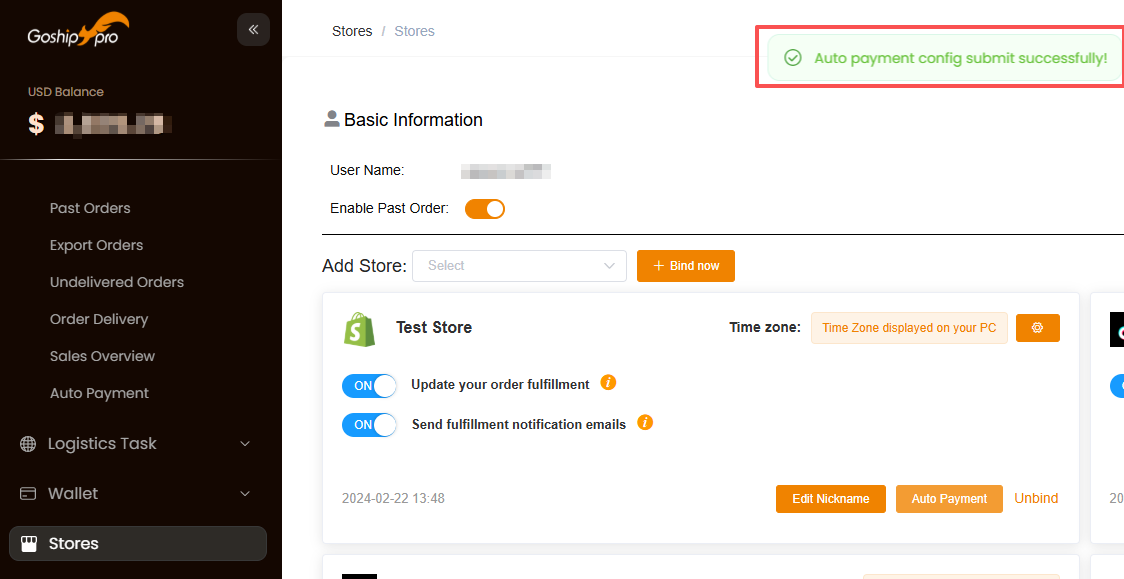
Congratulations ! You’ve successfully completed the setup.
Note : You can check the automatic payment results by clicking “Orders”→“Auto Payment”
New Update:
If an order contains products without a quoted price, the system will skip that order and record the names of the unquoted products.
If a product does not require a quotation or shipment, please set such products as hidden on the product page. Once hidden, the automatic payment will proceed for the remaining products in the order.